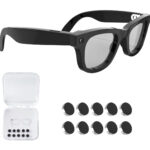


Smart Glasses Privacy Light: How Aventa Handles Recording

Imagine walking into a coffee shop wearing your smart glasses. Someone glances at the small camera on the frame and asks: “Are those recording me right now?” That moment of social friction is the number one reason people hesitate to buy camera glasses — and the brands know it.
The recording indicator on smart glasses isn’t just a design detail. It’s the difference between glasses you’ll actually wear in public and glasses that stay in a drawer.
Why the Privacy Light Question Matters
Smart glasses with built-in cameras occupy a weird social gray zone. You’re wearing a device that can record, and the people around you have no way to know whether you actually are recording. That ambiguity makes people uncomfortable — and understandably so.
This is why most camera glasses include some kind of recording indicator. The idea is to make recording visible to bystanders, not just the wearer. But how brands implement that light varies a lot — and those differences have real consequences for how you use the glasses day-to-day.
How Aventa’s Recording Indicator Works
The Aventa Smart Glasses include a small LED that activates when you’re actively recording video or taking a photo. What makes Aventa’s design stand out is that the light is coverable — you have the ability to obscure it for situations where the LED itself becomes the problem: a dark theater, a low-light shoot, or any environment where a blinking indicator draws more attention than the camera itself.
This isn’t the same as having no light at all. The default behavior is transparent — the indicator is visible when recording. But Aventa treats you like someone who can make contextually appropriate calls, rather than enforcing a single behavior regardless of the situation.
For content creators, journalists, and anyone shooting in varied conditions, that flexibility matters. You’re not locked into one mode.
There’s also a data angle worth flagging: Aventa doesn’t send your footage or usage data to third-party servers. No third-party data sharing. That’s a privacy consideration that goes well beyond what any LED can signal.
Ray-Ban Meta: The Always-On LED
Ray-Ban Meta takes a stricter stance. Their LED is white, always-on during recording, and not designed to be covered or disabled. Meta faced significant public pressure after earlier backlash against smart camera products, so they built in an indicator that’s clearly visible and not user-adjustable.
That’s a defensible position. The tradeoff is that the always-on LED can be disruptive in low-light settings, draws attention when you’d prefer discretion, and — bluntly — doesn’t actually prevent determined misuse. A piece of tape takes about three seconds to apply.
At $299, Ray-Ban Meta is making a specific product decision that suits their brand. It’s not wrong. It’s just not the only valid approach — and it’s worth knowing what you’re actually paying for.
What the Law Actually Says About Recording Indicators
In most US states, you’re legally allowed to record in public spaces — sidewalks, parks, restaurants, shopping centers — without notifying anyone. A recording indicator light is a social courtesy, not a legal requirement in most jurisdictions.
A handful of states, California included, have two-party consent laws for audio recording in private settings. But in public, the legal bar is lower than most people assume.
That said, norms matter as much as laws here. Wearing camera glasses into a private meeting will create friction regardless of legality. Being transparent about when you’re recording is the kind of behavior that keeps smart glasses welcome in more places — and that’s true whether your indicator is coverable or not.
Aventa vs. Ray-Ban Meta: Privacy Features Compared
| Feature | Aventa Smart Glasses | Ray-Ban Meta |
|---|---|---|
| Recording indicator LED | Yes — coverable design | Yes — always-on, not adjustable |
| Camera | 12MP photos / 1080p video | 12MP photos / 1080p video |
| Third-party data sharing | No | Meta data practices apply |
| Subscription required | No | Meta+ required for some features |
| AI assistant | Built-in, ChatGPT-compatible | Meta AI |
| Weight | 48g | 49g |
| Price | $109 | $299 |
Who Should Buy Aventa
- Content creators who work in varied lighting conditions and need flexibility over when the recording indicator is visible.
- Privacy-first users who don’t want their footage or usage data flowing through a social media company’s infrastructure.
- Journalists and event photographers working in environments where a constant blinking LED would be intrusive or draw the wrong kind of attention.
- Everyday users who want smart glasses without a Meta account, a Meta+ subscription, or any Meta entanglement.
- Budget-conscious buyers who can’t justify $299 when $109 gets you comparable camera hardware and more control over the recording indicator.
The Honest Verdict
Ray-Ban Meta is a genuinely good product. The always-on LED reflects a real design philosophy — social transparency over user flexibility. If that’s what you value, and you’re comfortable in the Meta ecosystem, they’re worth considering at $299.
But if you want camera glasses that don’t tie you to a platform, give you more control over the recording indicator, and cost $190 less — the Aventa Smart Glasses are the more practical choice for most people. You get 12MP photos, 1080p video, open-ear speakers, a built-in AI assistant that’s ChatGPT-compatible, Bluetooth 5.0, and a charging case that stretches battery life to a full day. At 48g, they’re actually lighter than the Ray-Ban Meta.
The deeper privacy question isn’t really about the LED. It’s about who has access to your data after you press record. On that question, Aventa’s answer is a lot cleaner.
Full specs, prescription lens options, and ordering are all at aventaglasses.com. Ships from a US warehouse in 2–5 business days, with a 30-day money-back guarantee if they’re not the right fit.
Last updated: May 2026